
New to campaign tools
Start with the tabletop idea
Every major article explains what the feature means in ordinary D&D play before describing fields or buttons.
Follow the complete DM pathLore Atlas field guide
A detailed, spoiler-safe manual for new and experienced DMs. Learn the D&D idea first, then see exactly how Lore Atlas represents it.
Task atlas
The guide is organized around campaign work, not product menus. Each path explains the tabletop concept, the controls, the resulting state, and the edge cases.
Blank campaign, templates, restore, party, and first path
Thread types, locations, relationships, locks, and outcomes
Clocks, travel, beliefs, consequences, and history
Tonight's Table and practical Prep Health
Sessions, encounters, rewards, sound, and display
Invitations, characters, collaboration, and visibility
Recaps, memories, decisions, export, and restore
Search common questions or define an Atlas term
Spoiler-safe teaching campaign
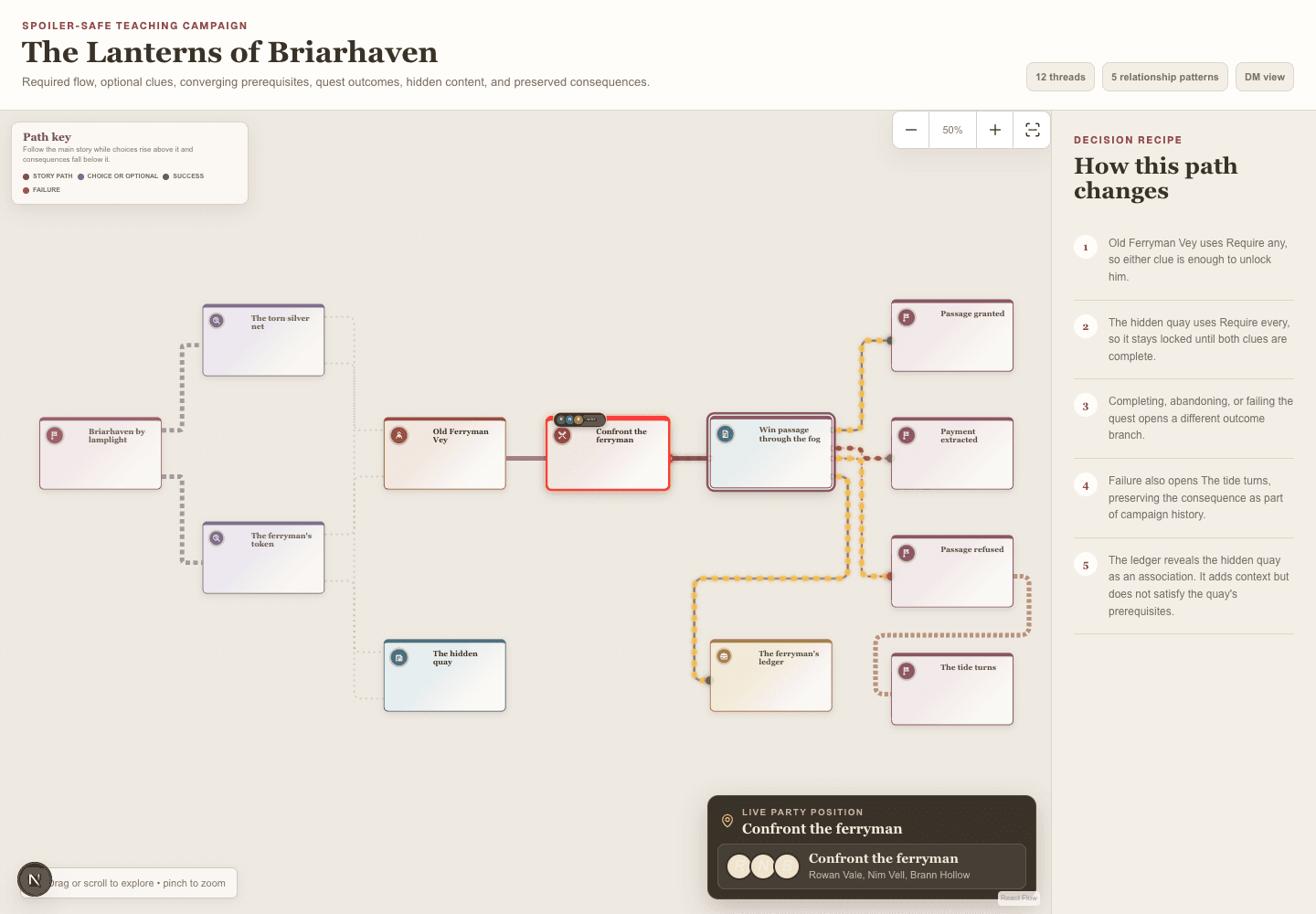
A complete example built from real Atlas nodes. It shows optional clues, an NPC relationship, a locked quest, several quest outcomes, gated loot, automatic failure consequences, and the live party position without borrowing a published adventure.
New to campaign tools
Every major article explains what the feature means in ordinary D&D play before describing fields or buttons.
Follow the complete DM pathExperienced DM
Relationship matrices, visibility rules, state transitions, automatic consequences, and decision history are labeled for quick reference.
Inspect Atlas logicProduct alignment
Clocks, Prep Health, player beliefs, environment initiative, and other product conventions are identified in context and tracked for review.
See current review notesSearchable answers
Accounts, permissions, sessions, rules, Homebrew, Player Display, and common problems.
Search the FAQShared vocabulary
Plain-language definitions for Lore Atlas concepts and the D&D terms used by the interface.
Browse the glossaryLearn inside the app
Wayfinder follows the campaign loop using your own story. Reset the tours whenever another DM needs the guided introduction.